Connect Seamlessly

Link your TV and devices with ease.

A user holding a smartphone with the SMA Enterprise remote app open, controlling a smart TV in a cozy living room.
Control Simply

Our tools offer intuitive controls that make managing your TV and connected devices straightforward, so you spend less time navigating and more time enjoying.

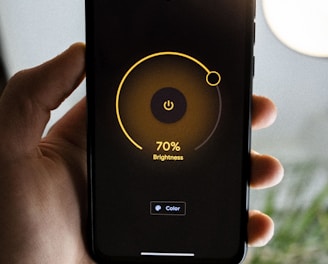
Close-up of a hand tapping large, clear buttons on the SMA Enterprise remote app interface.
Manage Smartly

Stay in control with features designed to keep your devices organized and compliant with policies, ensuring a smooth and reliable experience every time.

FAQs

What is sma enterprise?

We create smart TV remote tools that simplify device control.

How do I connect devices?
Are your apps secure?
Can I manage multiple TVs?
Is technical support available?

Simply open the app and follow the on-screen pairing instructions.

Yes, our apps comply with all relevant policies to keep your data safe and ensure reliable performance.

Absolutely, our tools let you control and switch between several TVs seamlessly.

Yes, we offer support to help you with setup and troubleshooting.

A sleek smartphone screen displaying the sma enterprise smart TV remote app interface with clear, easy-to-use buttons.

Control

Effortless connection and management of your TV devices.

Close-up of a hand smoothly navigating the app to switch TV channels and adjust volume.
A cozy living room scene with a user comfortably controlling multiple devices using the sma enterprise app.